
Private media library for Windows and home servers
A media library
that stays yours.
muuse turns the movies, shows and home videos on your PC or NAS into a fast, beautiful library you can open from any screen at home. Local AI search, duplicate cleanup, and no account needed to use it. Nothing leaves your network.
Free 7-day trial of everything. After it, browsing, playback and search keep working; only local AI tagging needs a licence. No account, no card.
- The app needs no account
- Works fully on your network
- Licence checked on your own PC
- No tracking in the app
- Windows installer or Docker
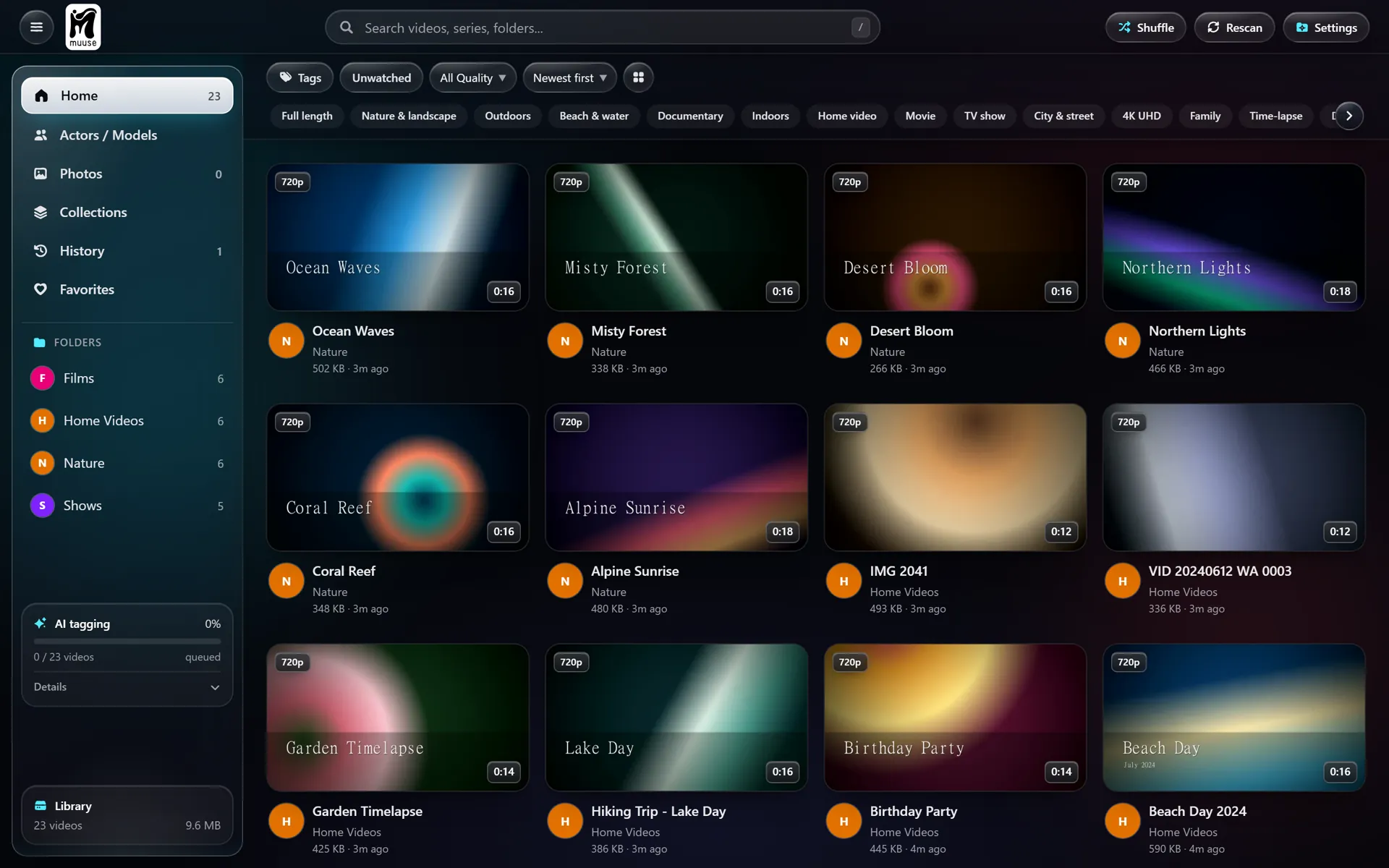
Point muuse at the folders you already have. It reads what is there, builds the covers, remembers where you stopped, and serves it to your TV, tablet and phone, from your own computer, on your own network.
Your files stay put
muuse reads your folders, local drives and network shares. It does not move or rewrite your files, and it never deletes anything unless you ask.
Plays what you have
MP4 plays instantly with fast seeking. MKV, AVI, HEVC and other formats are converted on the fly, so they just play.
Any screen with a browser
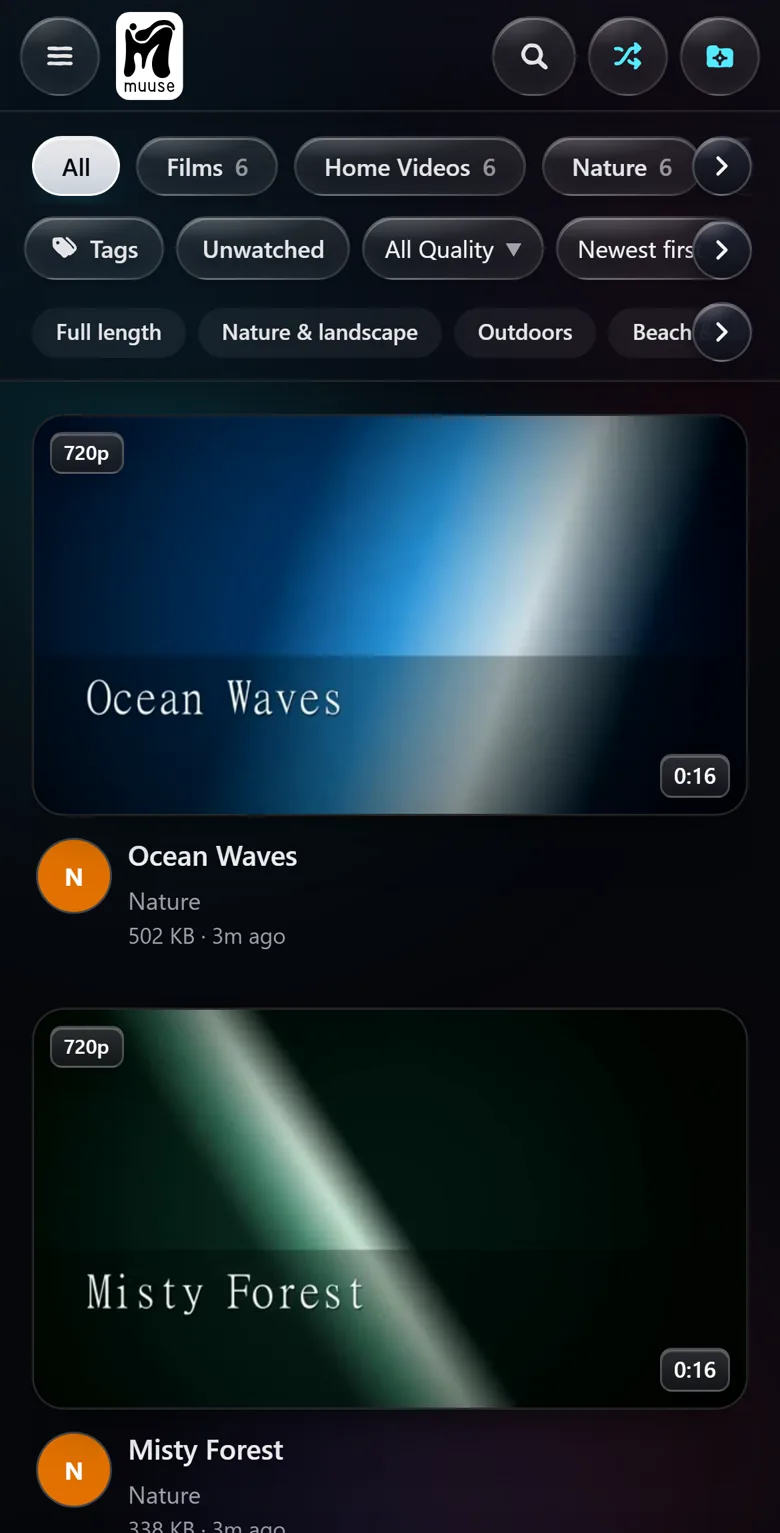
Open it from your phone, tablet, laptop or smart TV on the same network. There is nothing to install on those devices.
Features
Made for people who have too many videos.
The parts that make a big library feel small again.
Local AI search and tags
Find the scene, not the filename.
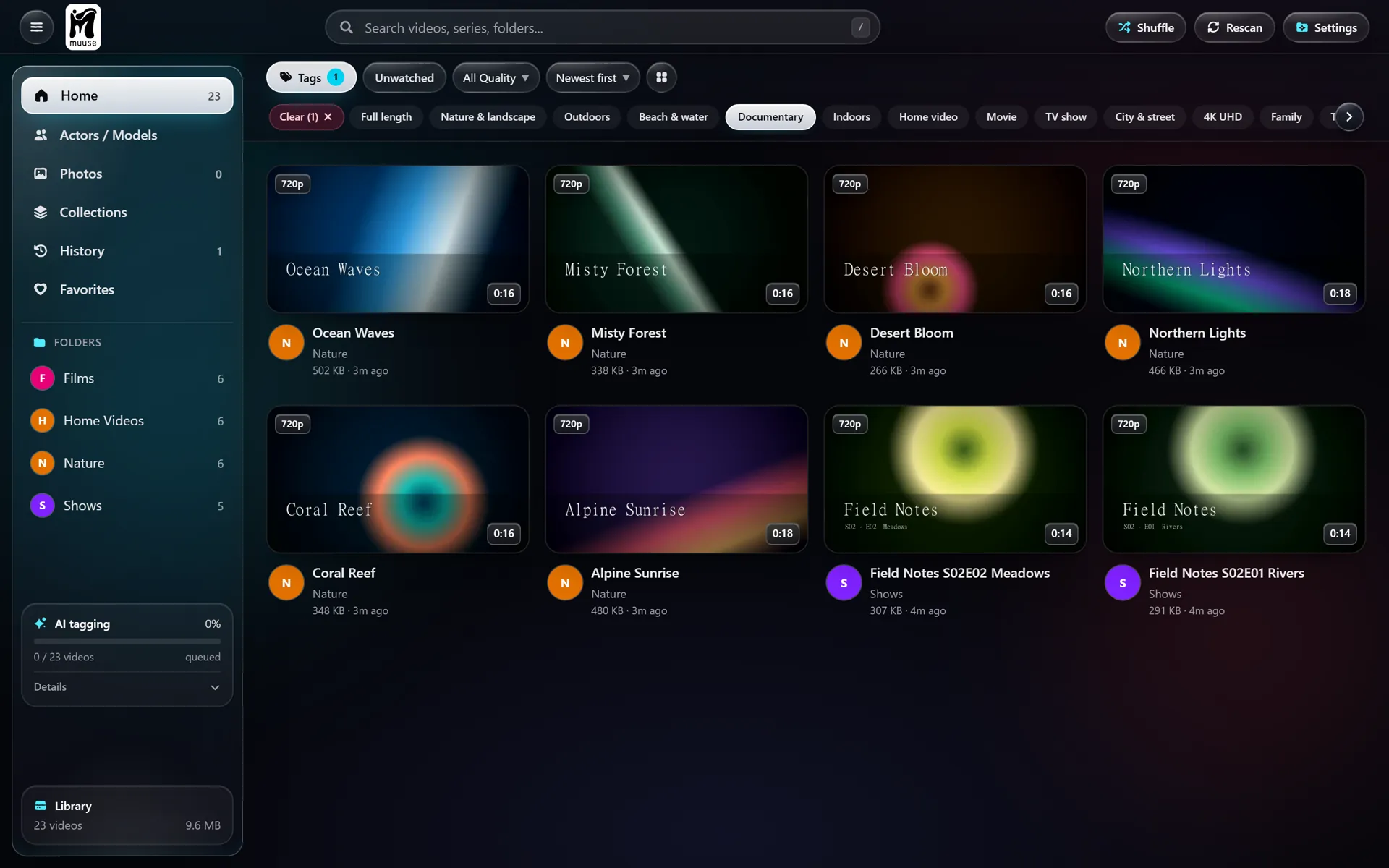
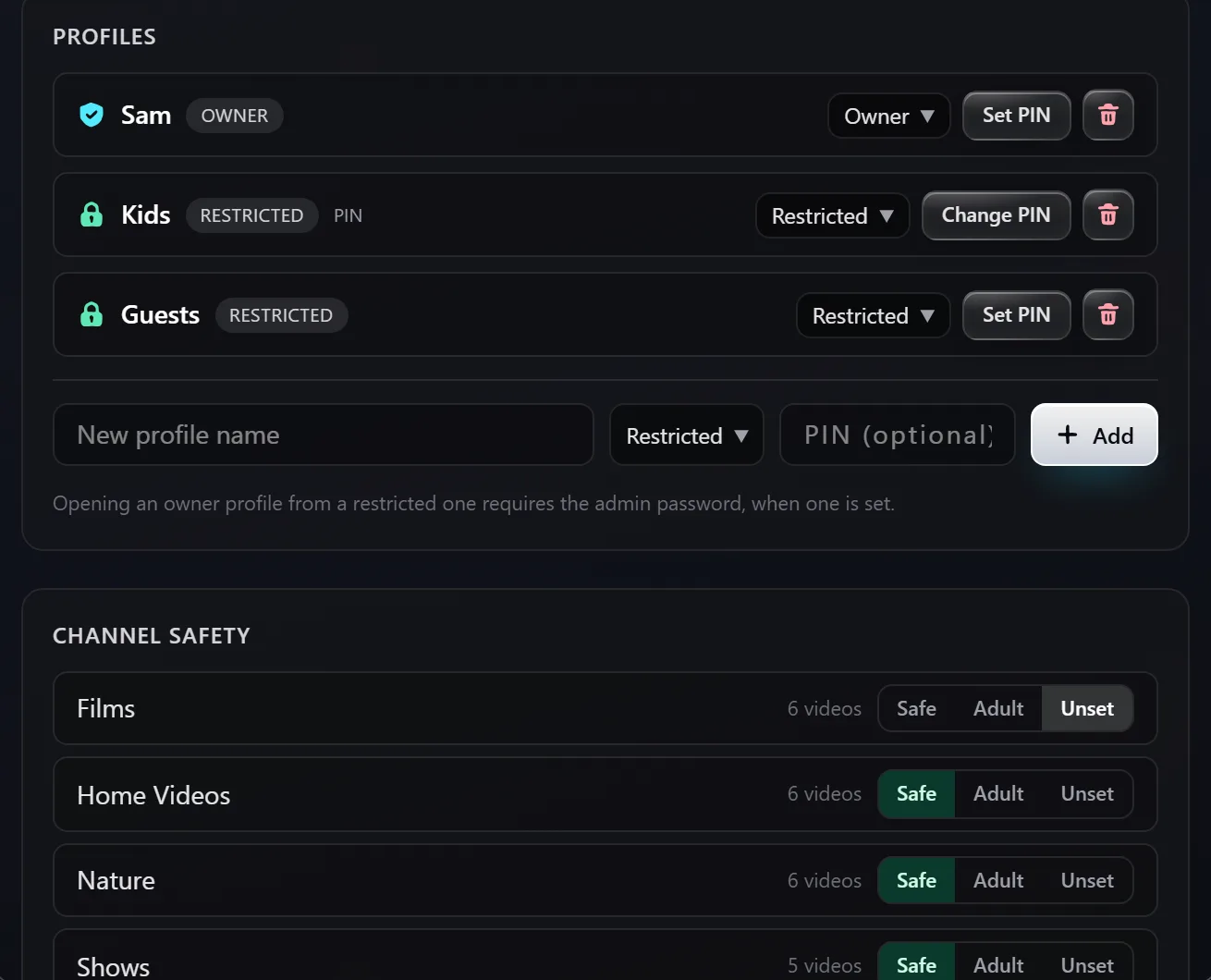
Optional AI runs on your own graphics card. It looks at frames from your videos and tags what it sees: settings, activities, styles, formats. Then you filter with one tap, or search for what is in the picture.
- A general tag set to start: content types, people, places, activities and stylesExtra tag packs for specialised libraries are optional and off by default.
- Filter by tag, quality or watched state; search suggests titles, series and top matches as you type
- All analysis happens on your PC. No frames or tags are uploaded anywhere
AI tagging is an optional add-on you install from Settings in one click (about a 4 GB download) and needs a recent NVIDIA graphics card. It is the one feature that needs a licence after the 7-day trial, and tags already in your library stay.
Playback
Pick up where you left off, on any screen.
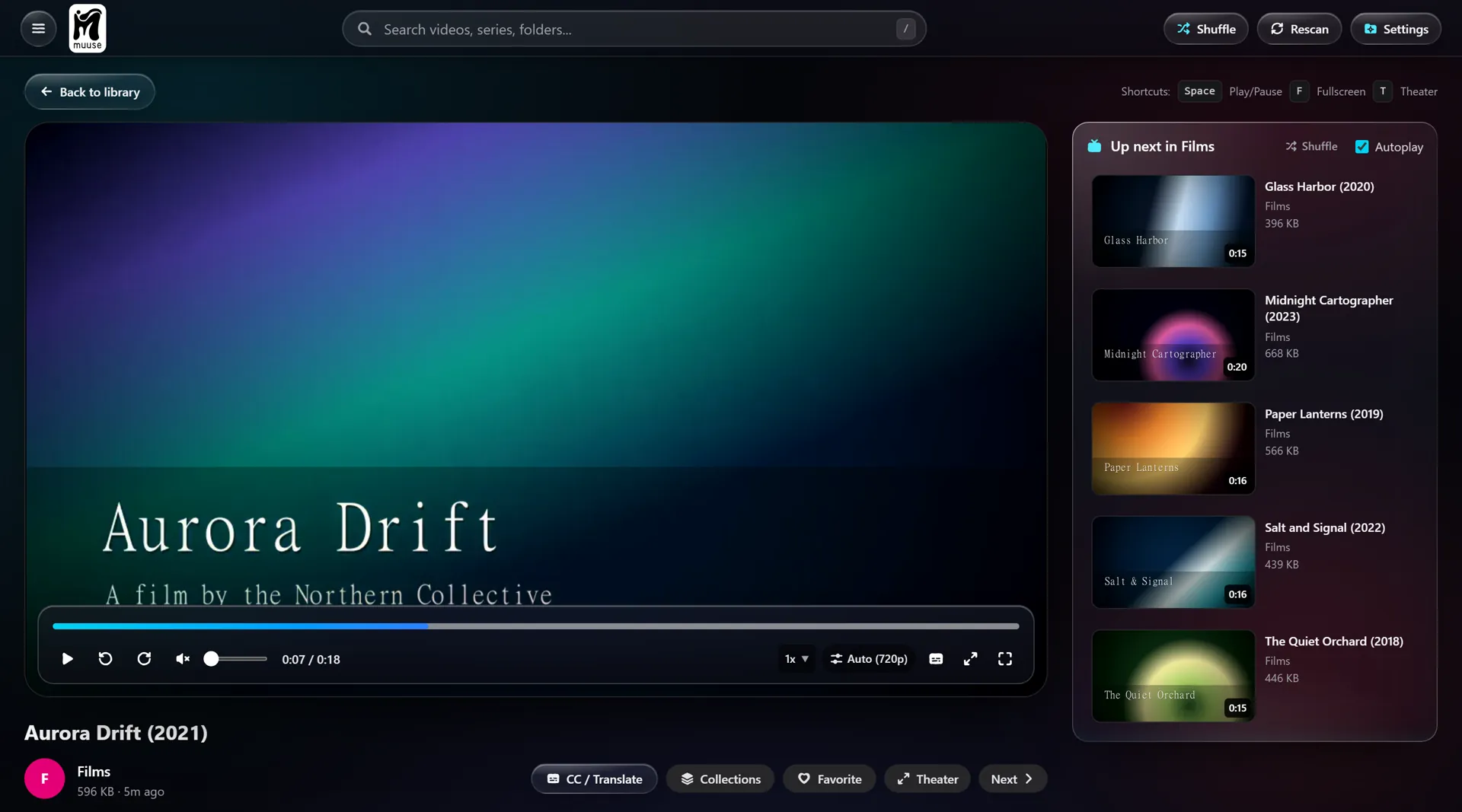
A full player with theater mode and keyboard shortcuts. Start on the PC, carry on on the sofa. muuse remembers your place.
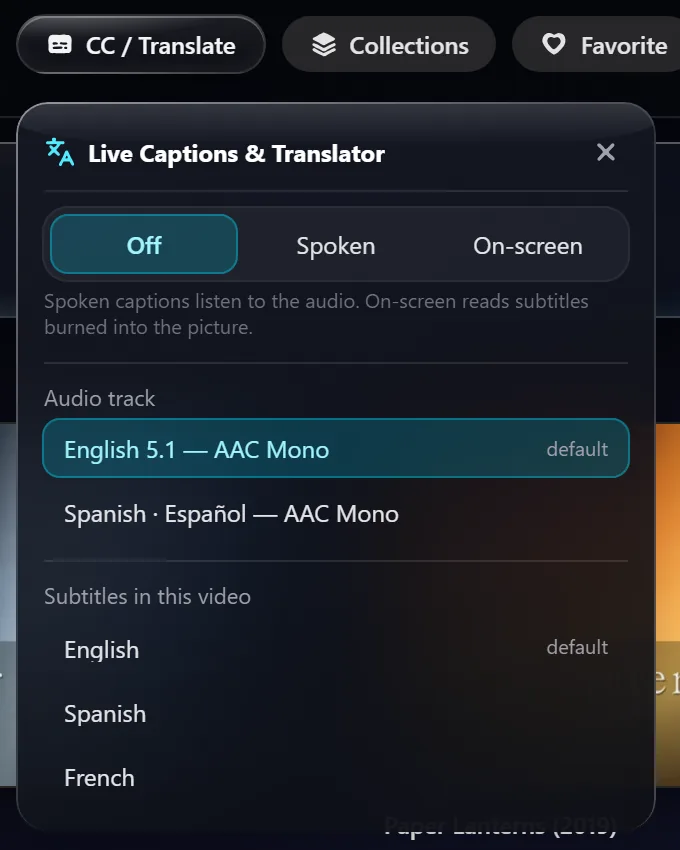
- Audio and subtitle track pickers for MKV and other multi-track files
- Cast to your TV with a link that works for that one video only
- Continue Watching, favourites, collections and watch history
- Direct streaming where the browser can, live conversion where it cannot
TV mode
Built for the big screen.
TV mode switches on for television browsers, or with one toggle at the bottom of the page. Larger type, a bold focus ring, and full control from your remote's arrow keys and OK button.
Messy-library handling
Even a messy folder behaves.
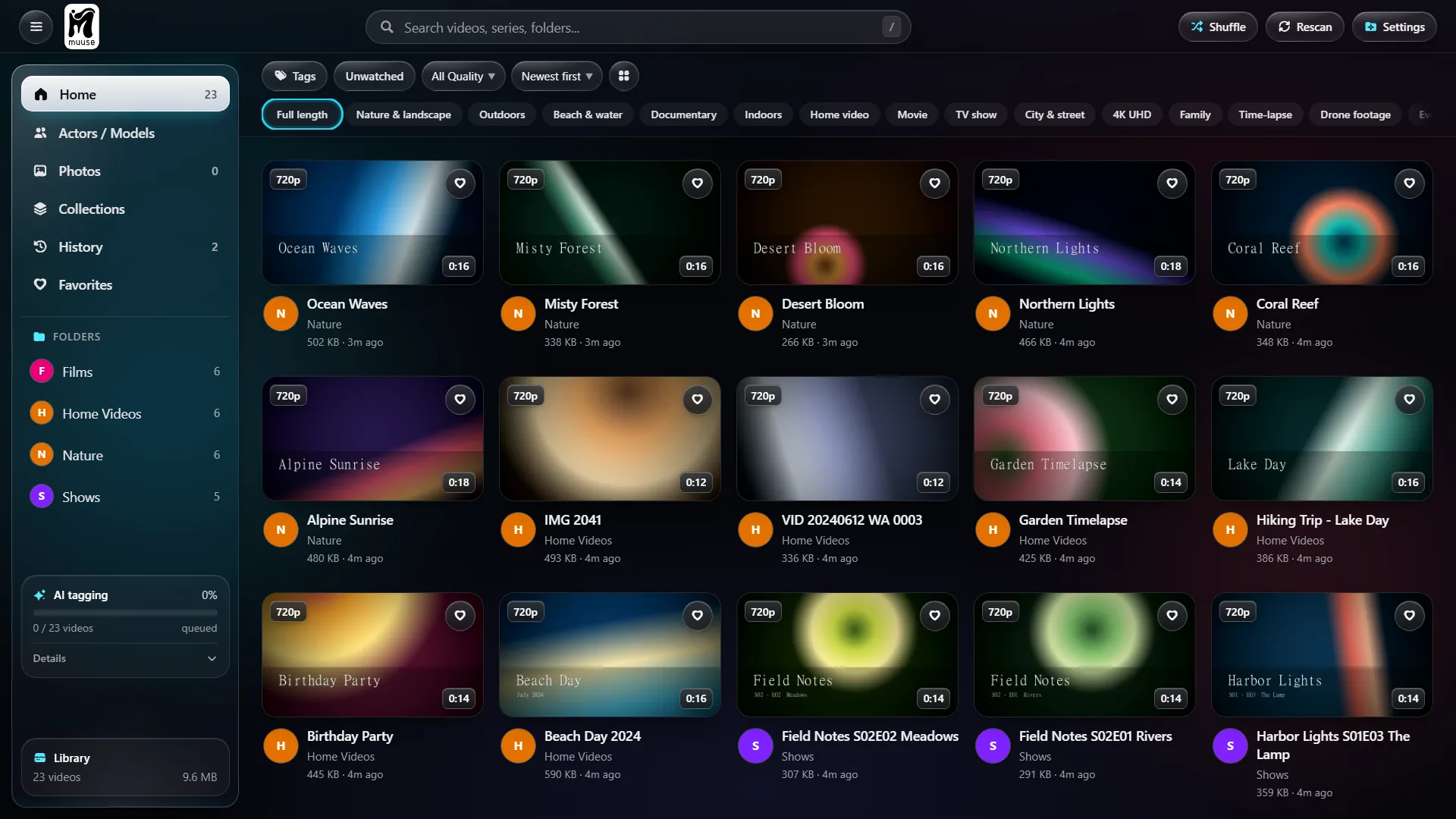
Real libraries are full of names like VID_20240612_WA0003 and Harbor Lights S01E02 Low Tide. muuse tidies them into readable titles and groups episodes into series.
- Smart titles and series detection, with no renaming of your files
- A duplicate finder: keep the best copy, and the rest go to a trash folder you can restore from
- A safety brake: if a network share goes offline mid-scan, muuse removes nothing from your library
Profiles and parental controls
One library, a few households.
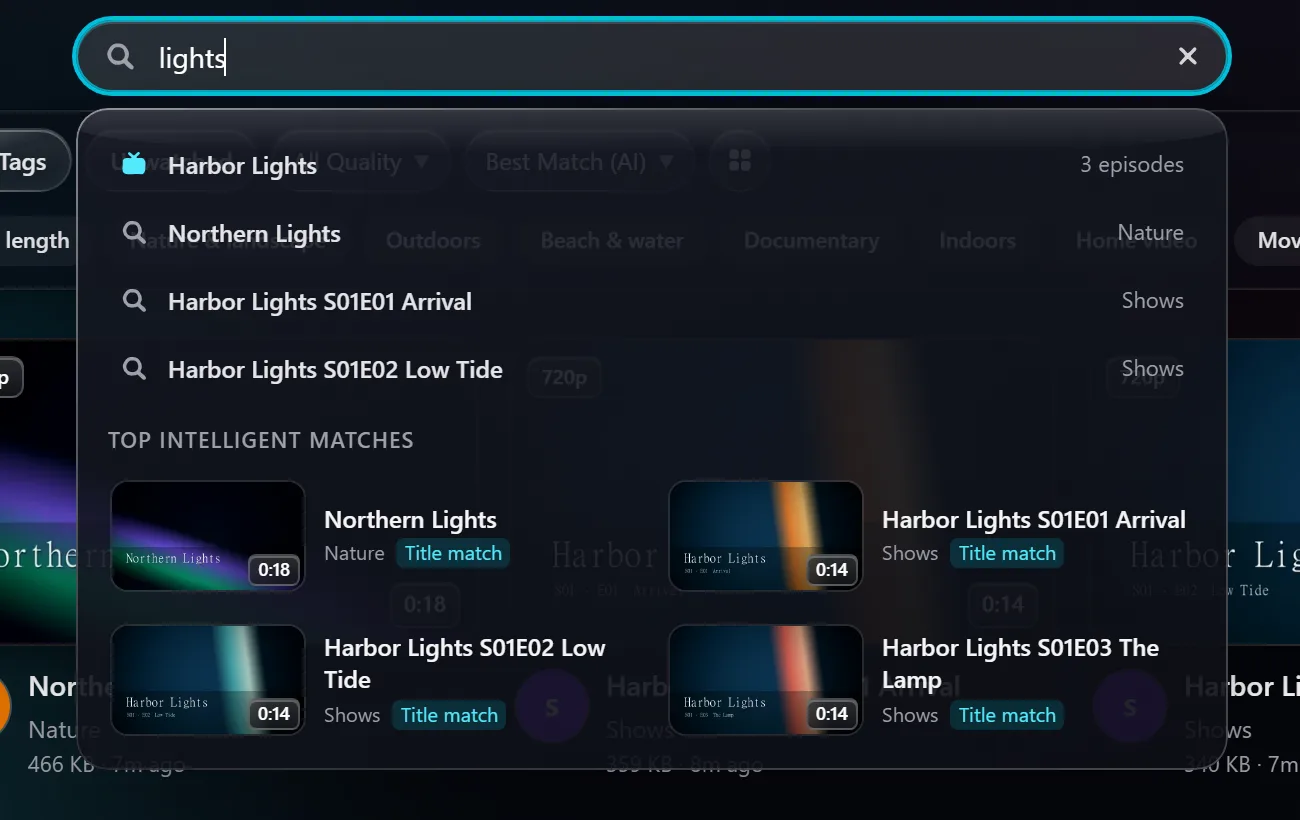
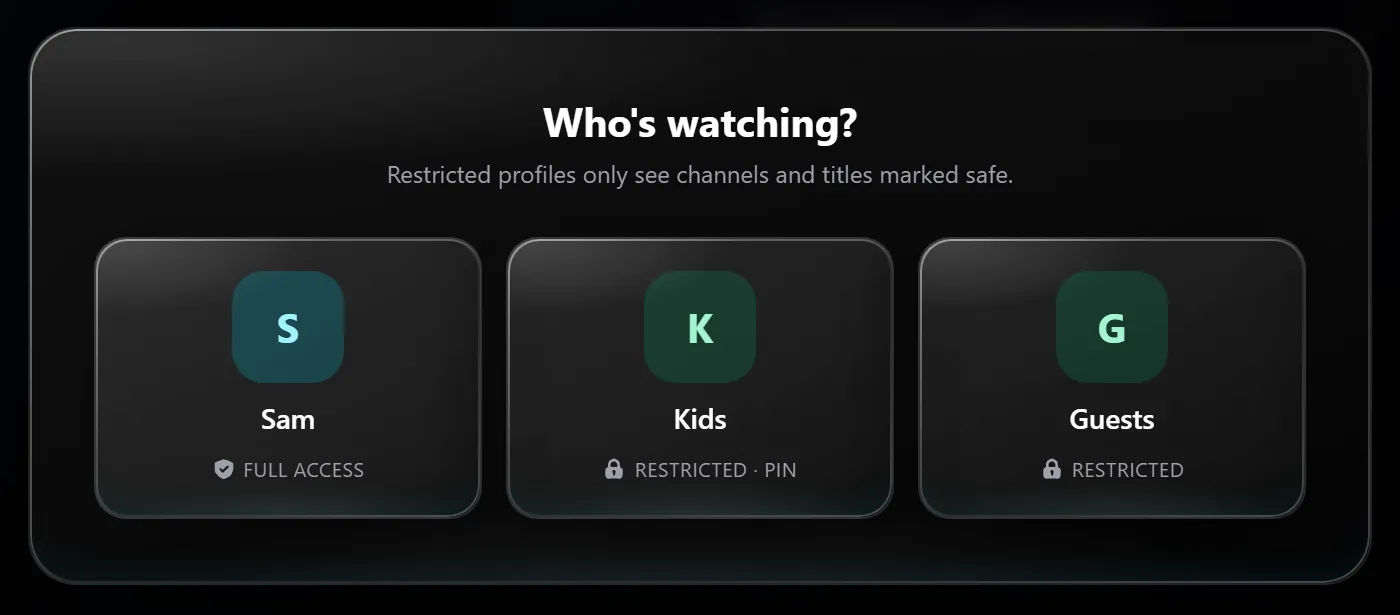
Give everyone their own profile, with a PIN if you like. Restricted profiles only see the folders you have marked safe, so the family library can stay family-friendly.
- Owner and restricted profiles, each with an optional PIN
- Mark whole folders safe; restricted profiles see only those
- Opening the owner profile from a restricted one asks for the admin password
And the rest
Small things that add up.
Duplicate detection
Finds copies of the same video even when the names differ. Compare, keep one, and move the rest to a restorable trash before anything is erased.
Optional movie and show details
Turn on posters, summaries and cast from TMDB with your own free key. Off by default, so your titles are sent nowhere unless you choose.
Photos too
Your photo folders sit beside your videos, with a lightbox, favourites and the same folder safety controls.
Collections and favourites
Group videos into collections, heart the ones you love, and jump back in from Continue Watching.
Windows or home server
A Windows installer for your PC, or a Docker image for a NAS or home server that is always on.
Careful by design
muuse reads your files and does not delete them. The only exception is the duplicate finder, and only when you tell it to.
Private by design
There is no muuse cloud to trust.
muuse is a program on your computer, not a service. The app never asks you to sign in, and nothing about your library lives on our side. A free website account is optional and only ever holds your licence key.
Stays on your PC
- Your files, file names and thumbnails
- Tags, search index, watch history and favourites
- Profiles, PINs and settings
- Your licence, checked offline on your own machine
Goes online only if you choose
- A daily version check: a plain request for a public file. It sends no library data and can be turned off.
- The AI add-on, only if you install it: Python, PyTorch and the vision model, fetched from their public hosts (GitHub, PyPI, pytorch.org, Hugging Face). Your library is not sent anywhere.
- Movie details from TMDB, only with your own key.
- Buying a licence, on Stripe’s page. We never see your card.
How it works
Set up in minutes.
Install
Run the Windows installer, or unzip the portable version anywhere. muuse starts and opens in your browser.
Add your folders
A short walkthrough asks for a folder on your PC, an external drive or a network share. Each top-level folder becomes a channel.
Watch anywhere at home
Open the address muuse shows you from any device on your network, or cast to your TV. New files appear after a rescan.
Pricing
Try everything free. Pay once to keep AI tagging.
Every install starts with a 7-day trial of everything. After it, muuse keeps working as your library. Only local AI tagging asks for a licence, and the licence is a one-time purchase with no subscription.
One-time licence
Price announced at launch
Pay once. No subscription. No account needed to buy.
- Keeps local AI tagging on after the trial
- Everything else is free to use, with or without it
- Key works offline and is checked on your PC
Questions
Straight answers.
Does it need the internet?
No. muuse works fully on your own network. It only goes online for things you turn on yourself, such as downloading AI model files or movie details, plus an optional once-a-day check for a new version that you can switch off.
What happens after the 7-day trial?
Your library, playback, search and everything else keep working. Only local AI tagging switches off until you add a licence, and tags already in your library stay.
What does it cost?
The price is announced at launch. It will be a one-time purchase, with no subscription. You can use the whole app free for 7 days before deciding. See pricing.
Do I need an account?
No. The app, the trial and buying a licence all work without one. A free website account is optional: it keeps your licence key safe, lets you find it again with an emailed code, and lets you link your TV or the muuse app by scanning a QR code. Sign in with Google, Microsoft, GitHub, an email code or a password. Your library is never part of it. See your account.
Do I need a powerful computer?
Browsing, streaming and search need very little. The optional AI tagging needs a GeForce GTX 16 series, RTX 20 series or newer card with a current NVIDIA driver, and about 6 GB of free disk space for the add-on you install from Settings; without one you still have everything else.
Can I watch away from home?
muuse is built for your home network. It is not designed to be exposed directly to the internet, so we do not recommend port-forwarding it.
Which systems does it run on?
There is a Windows 10 and 11 desktop app, and a Docker image for NAS and home servers. Any device with a modern web browser can watch. There is no macOS or Linux desktop build.
Does muuse change or delete my files?
No. It reads your files and builds its own thumbnails and index. The duplicate finder can move a copy to a trash folder, but only when you tell it to, and you can restore from there.
Windows warned me when I ran the installer.
The installer is not code-signed yet, so Windows SmartScreen may say it does not recognise the app. Check the SHA-256 on the download page against the file you downloaded, then choose More info, Run anyway.
Try it on your own library.
Seven days, everything unlocked, no account. If it is not for you, uninstall it. Your files were never touched.